Mentor features: Messaging
Mentor Help centerUpdated
Mentor features: Messaging
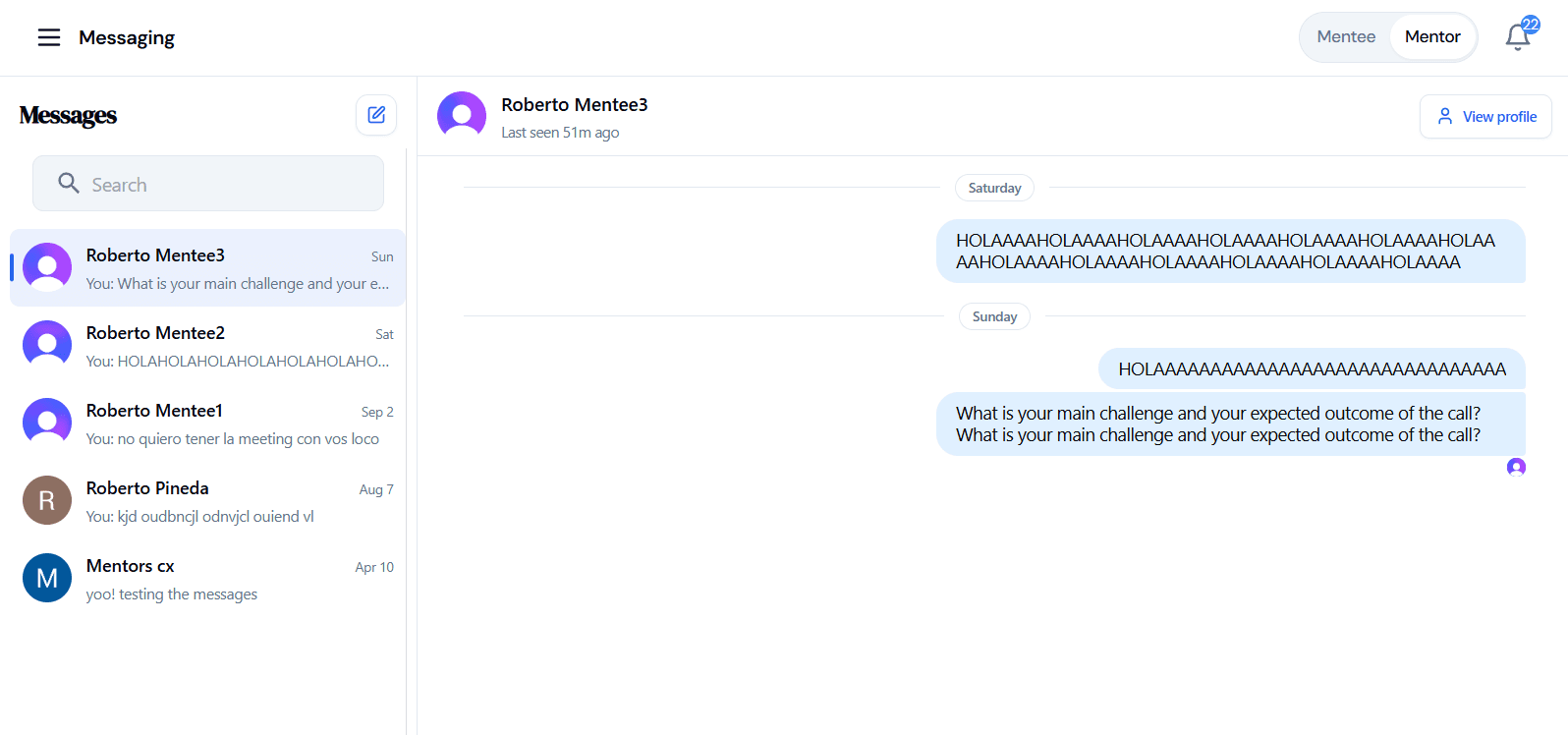
You can start a conversation with any of our current users here and ask any specific questions you may have about them. For your mentees, you can contact them to better understand their needs and further evaluate whether you are their best option to help them.
The main items are:
- Search bar
- Start a new chat
- Inbox
If you want to contact someone, you can search up directly by the person’s name on the search bar.
After you have selected the person you want to send a message to, you will be able to see whether they are online or not, you will be able to see your chat history with them, or start a new chat if you haven’t contacted them before. This is how your inbox looks like: