

Mentee features: Dashboard
On the Dashboard you'll see some information about your learning journey, like sessions done, learned hours, your current level, timely notifications, requests awaiting reply, upcoming sessions, your profile preview, your recent session activity, your next mentee level, and a feedback field.
On the top-left side you will be able to see the following information:
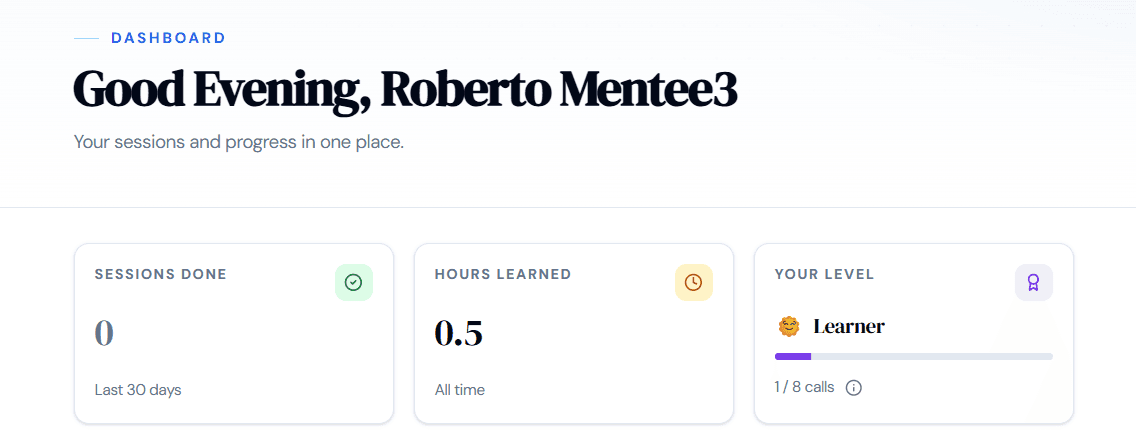
The first field is the amount of sessions you have participated in the last 30 days, the total amount of hours you'd been on sessions, and your current mentee level, which are:
- Learner
- Seeker
- Explorer
- Scholar
- Achiever
As you progress through the learning journey you will be rewarded with a new mentee level.
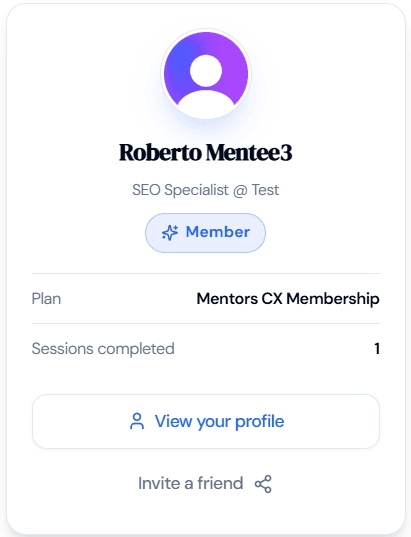
On the top-right side you will see your profile photo, your current package, the number of calls you can have during the month, a direct link to your profile, and an invite you can send for others to join the platform.
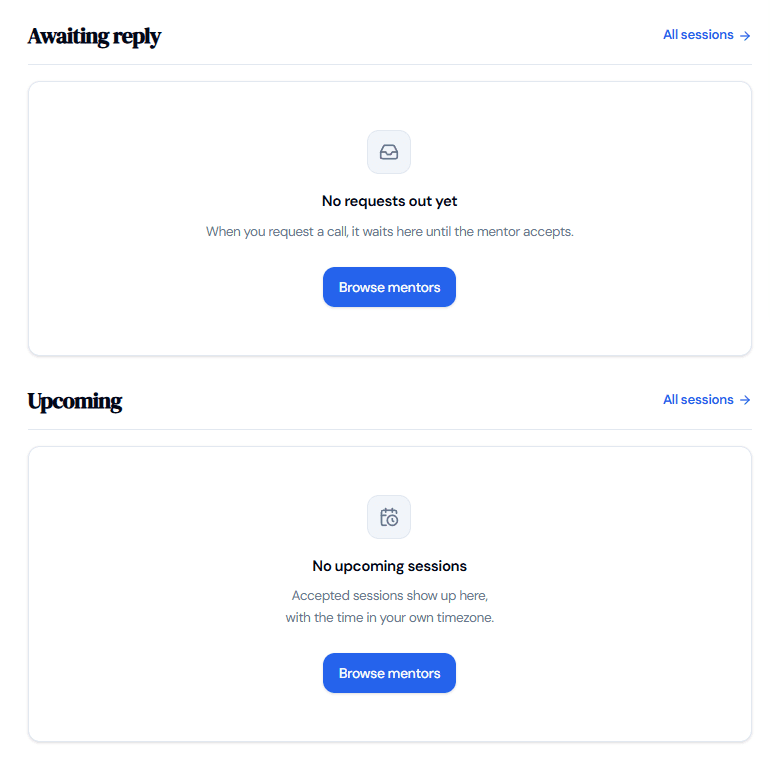
Below, you will find your requested and upcoming sessions, where you will be able to better manage them, it looks like this:
The last item you will find in the dashboard is a feedback link where you can let us know what you would change about the dashboard.
