

Mentee features: Search
The “Search” feature is meant to help you find the right mentor for you. There you will find all of our mentors, and to facilitate your process, we have some filters to help you. The main items of this feature are:
- Search bar
- Filters
- Mentor’s information
Search bar
You can search the mentors directly by their name in the Search bar, and in the same bar, you can filter by lowest or highest price and by number of sessions.

Filters
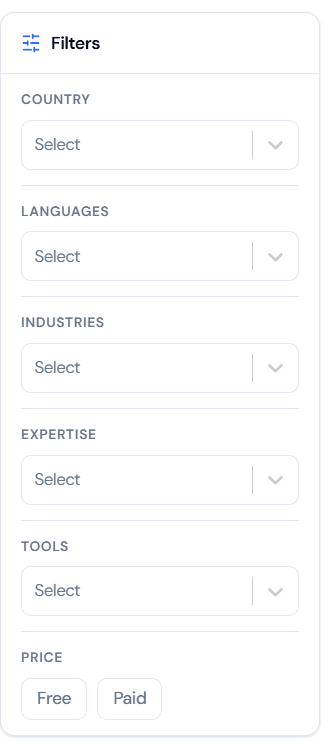
On the right side of the screen you can select any other filters to ease the searching process, some of the filters are: Country, Languages, Industries, Expertise, Tools, and Price (whether the sessions are free or paid).
Mentor’s Information
Here’s an example of all the information you will have for each mentor:
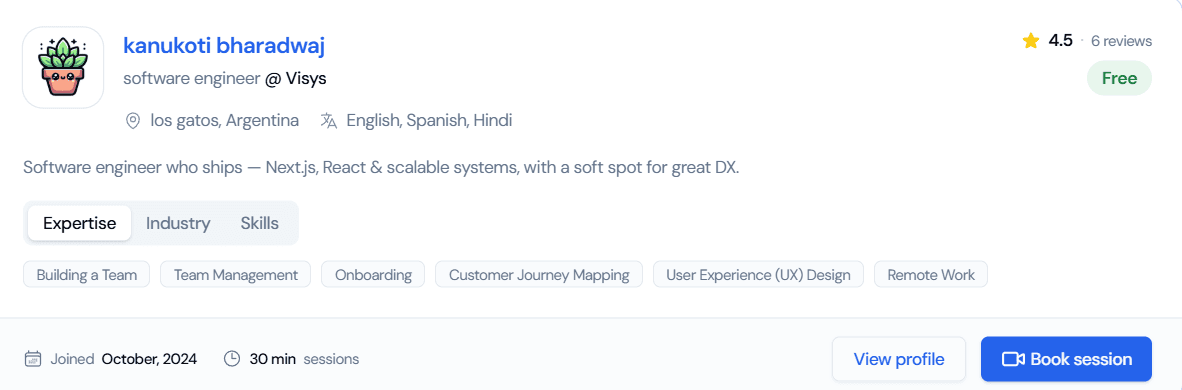
To better understand it, you will have the mentor’s profile image, their name, their role, the company they currently work for, their location, languages they speak, a short bio describing how they can help you, their expertise, industries they have worked with, their main skills, the date when they joined, how long their sessions last, mentee’s reviews, the number of sessions they had, their session price, and a “Book a session” button.