How to create a support ticket?
Support/troubleshootingUpdated
Creating a ticket is one of the ways that we can support you with any issue that may arise from using our platform. Accessing our support center is an easy process which consists of the following steps:
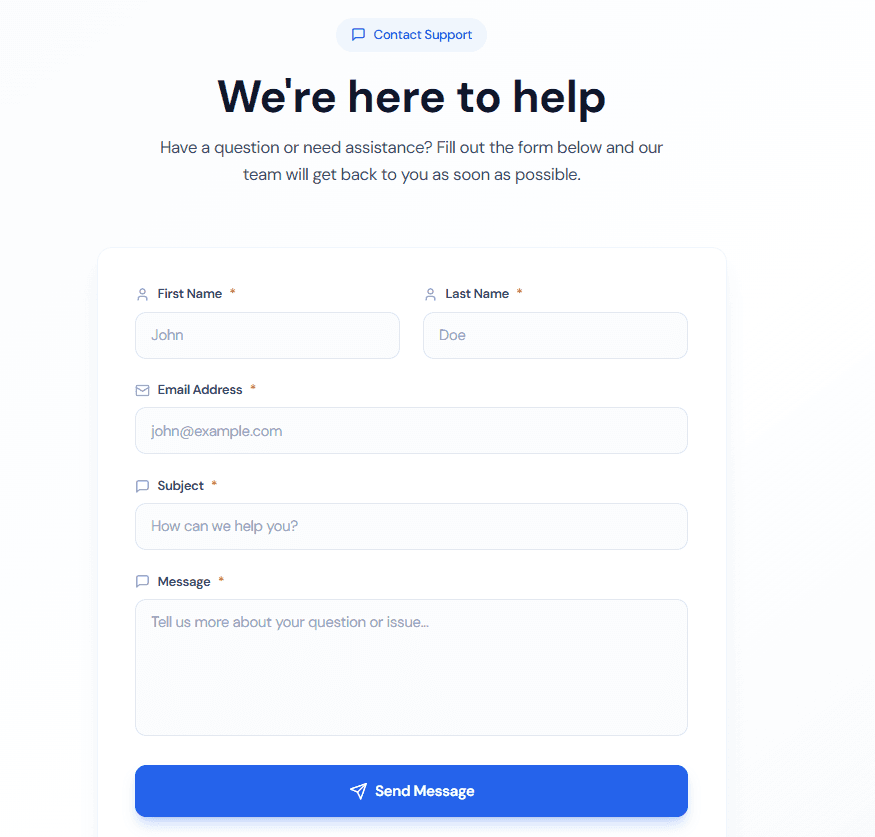
- Visit this link https://mentorscx.com/support
- Fill out the form’s information:
- First and last name
- Subject
- Message
- All the fields are required for you to send your ticket.
- Click the “send” button below the form.
After filling the form and sending the ticket, you will receive an email confirmation that says your ticket has been received and our support team will be working on your issue. After a few moments, you will receive another email, this time from our Support team where they will explain your issues’ solution to you.